on monday i went through this week’s class materials and tried to understand the process how the server and client is interacting.
and then i met with joy to go over it again together and see if our brains combined if we could understand it better.
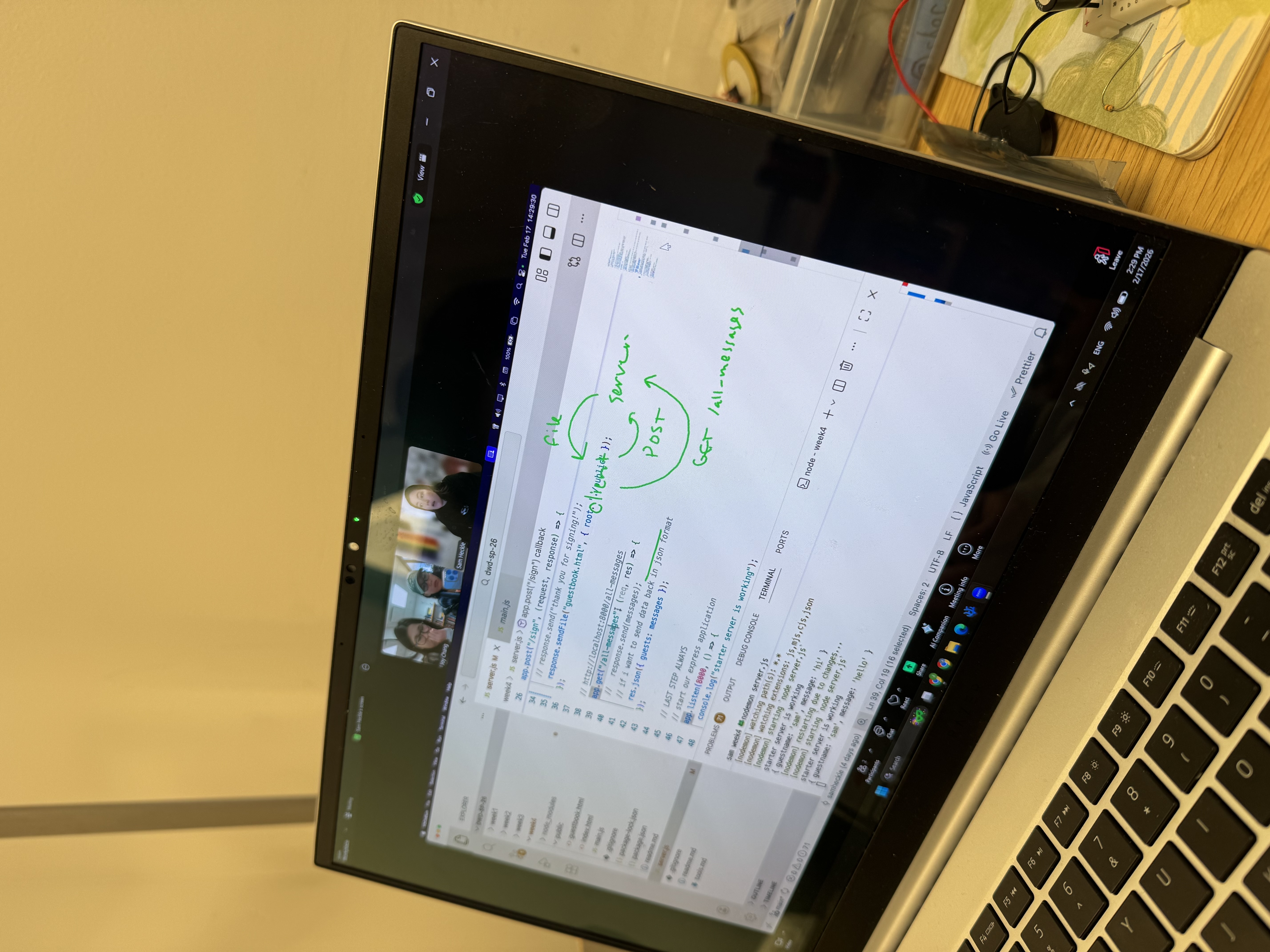
on tuesday joy and i had meeting with our professor Sam Heckle and got all our questions answered.
this is the questions we had for the meeting with Sam, which we brought overall confusion with what app.get and app.post work and how were the different.
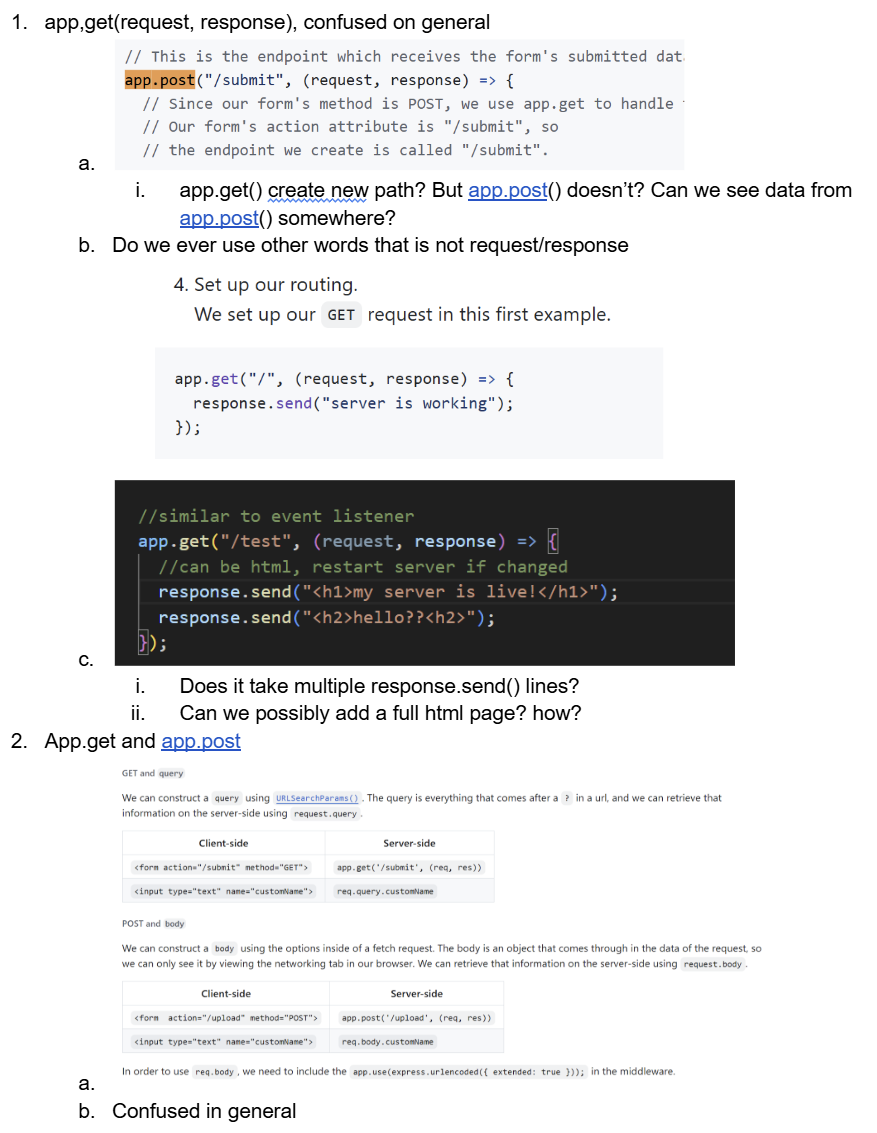
i also used claude as a learning tool to help me understand the concept better. explain it in different words, human language. and below is what it said. https://claude.ai/share/37e987f9-9c04-45f8-bdb5-4f7de9ebf576
Node.js : runtime environment npm (Node Package Manager) Express.js : framework
Breaking Down server.js (The Main Server File)
1. Import the library
const express = require("express");2. Create your app
const app = express();3. Middleware (Setup/Configuration)
app.use(express.static("public"));
app.use(express.urlencoded({ extended: true }));
4. Routes (The Core Concept)
So What Is a “Route”? A route is a rule you write in your server code that says: “When someone visits this specific path, run this specific code.”
A route is just an if statement for URLs. You’re telling your server: “IF someone visits this path, THEN do this thing.”
https= the protocol (how to communicate)www.example.com= the domain (which server to talk to)/blog/category/my-article= the path (which page on that server)
5. Listen for requests
app.listen(5001, () => { console.log("server is running"); });“Hey server, start listening for visitors on port 5001, and once you’re up and running, print ‘server is running’ in my terminal so I know it worked.”
Project 4
And for this week’s assignment, my main goal was to build our own server using Node.js and Express. Now we’re actually controlling what happens on the backend too.
The Concept I made a simple app where people can share their favorite food spots around 370 Jay St. I’m always struggling where and what to get food around here, and i feel like i’m always getting the same food over and over. You type in your name, your favorite food place, and what you usually order. The responses show up on the page for everyone to see. It’s basically a mini community board for food recommendations near campus.
Process
For this assignment, I focused on the functionality side and the whole system working than design. The first thing I had to figure out was how to structure the server. I started by thinking about what routes I’d need. Create made sense as a app.post(). For Read, I went with an app.get() route that returns all the messages as JSON.
For the data itself, I just used a array on the server. Each entry stores a name, a food place, and a menu item. And then i used push() to add new entries.
On the frontend, I needed a way to display the data. The page fetches all messages from the server on load using window.onload, then builds each one out with createElement and appendChild.
The last step was getting it onto my Digital Ocean droplet. Uploaded the files through Cyberduck, ran npm install on the server, and started it with pm2 so it stays running after I disconnect from SSH.
Reflection The biggest takeaway for me is understanding how the client and server communicate. Before this week, APIs felt like a black box. Now that I’ve built my own routes and handled my own requests, I have a much better sense of what’s happening behind the scenes. It’s a simple app, but the pattern of sending data to a server, processing it, and sending a response back is the foundation of how most web apps work.
you can check out my work here. and don’t forget to put some good recs in! http://174.138.89.134:8000/