2/1 I started my brainstorming by laying out all the places that I had memories with, or places that I would like to introduce to people.
the places that I wanted to introduce were:
- lotte world (amusement park)
- Charlotte Theatre(musical theatre)
- Seokchon Hosu(Lake)
- Lotte World Mall(Shopping Mall)
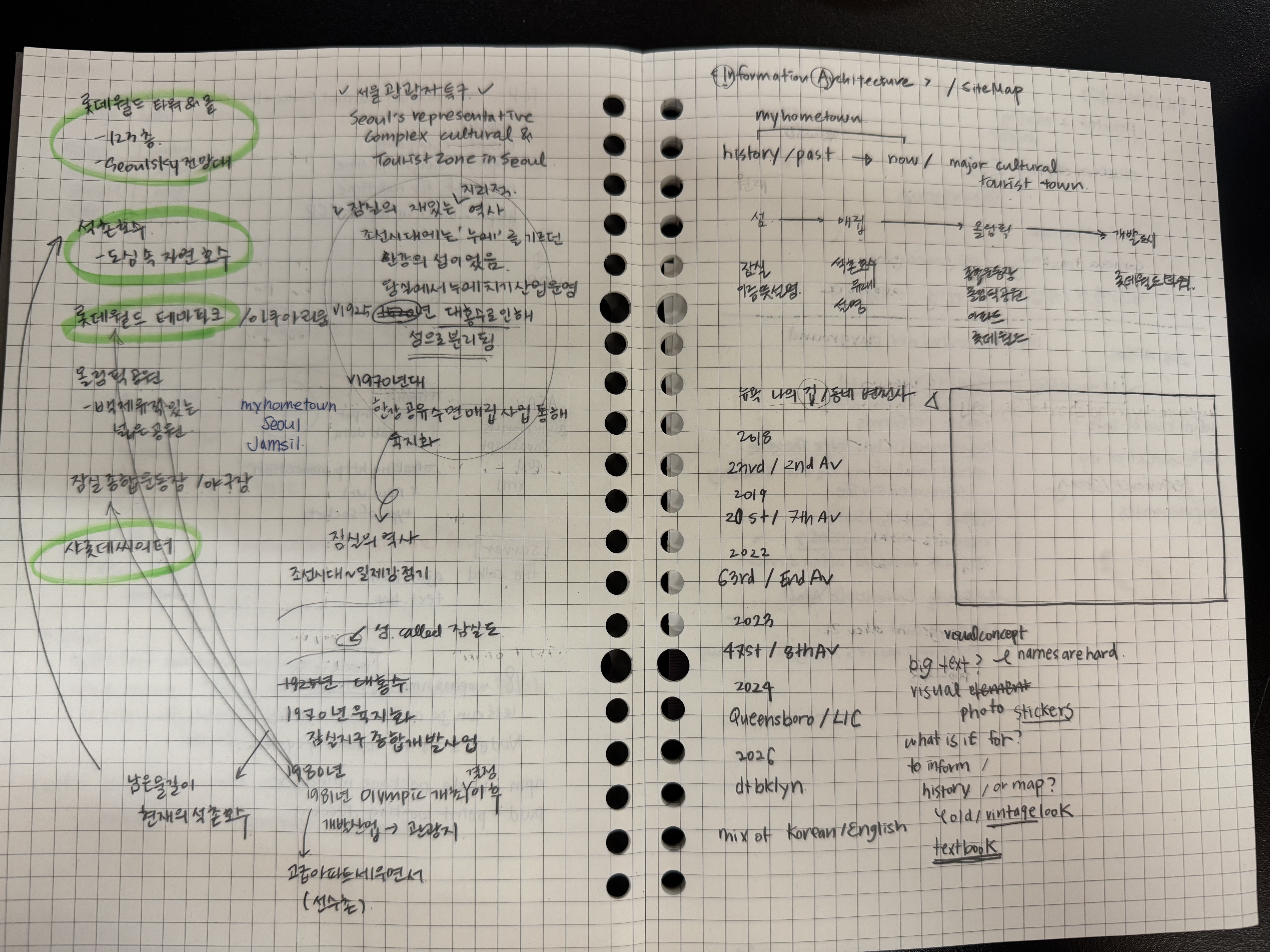
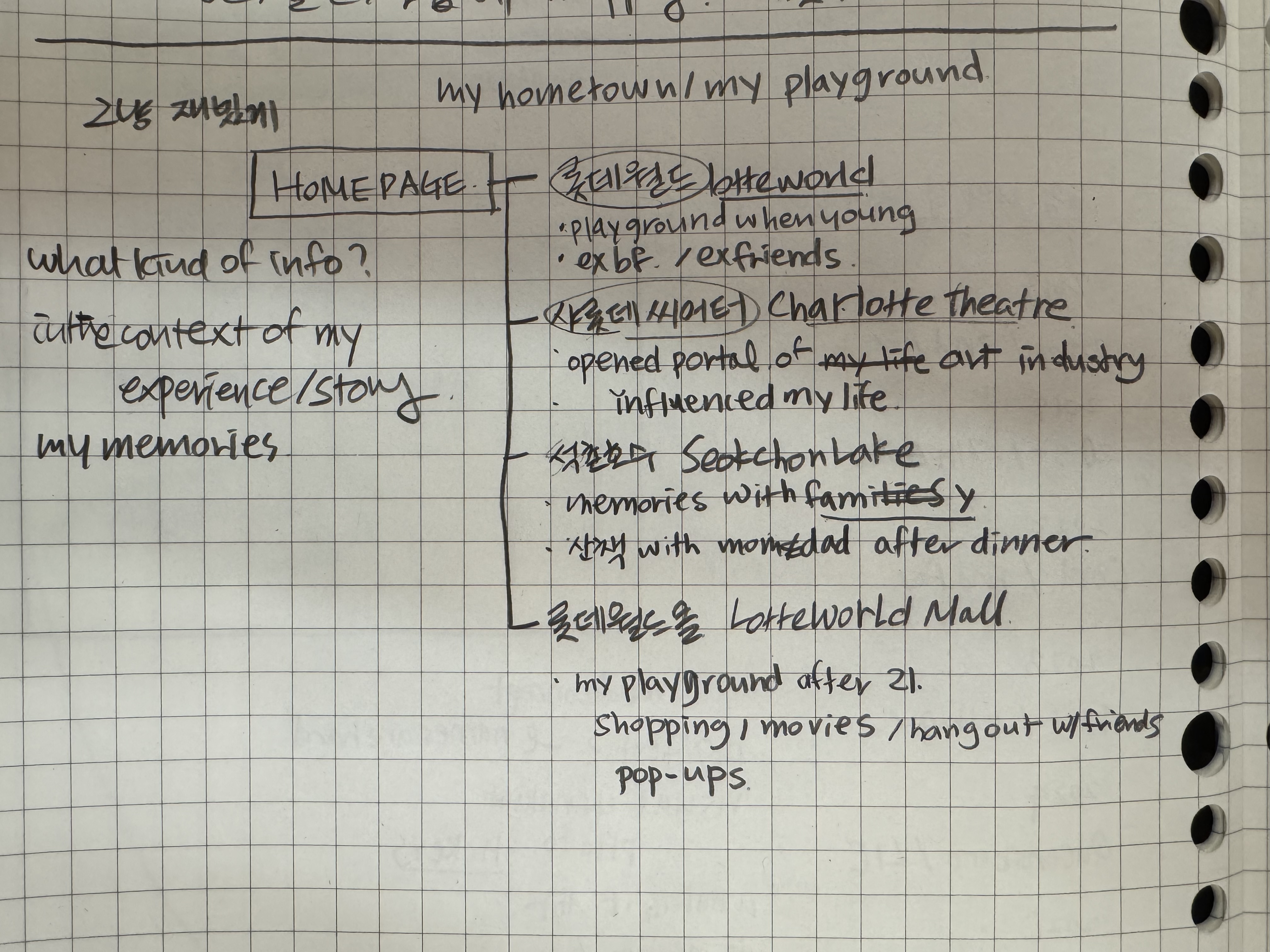
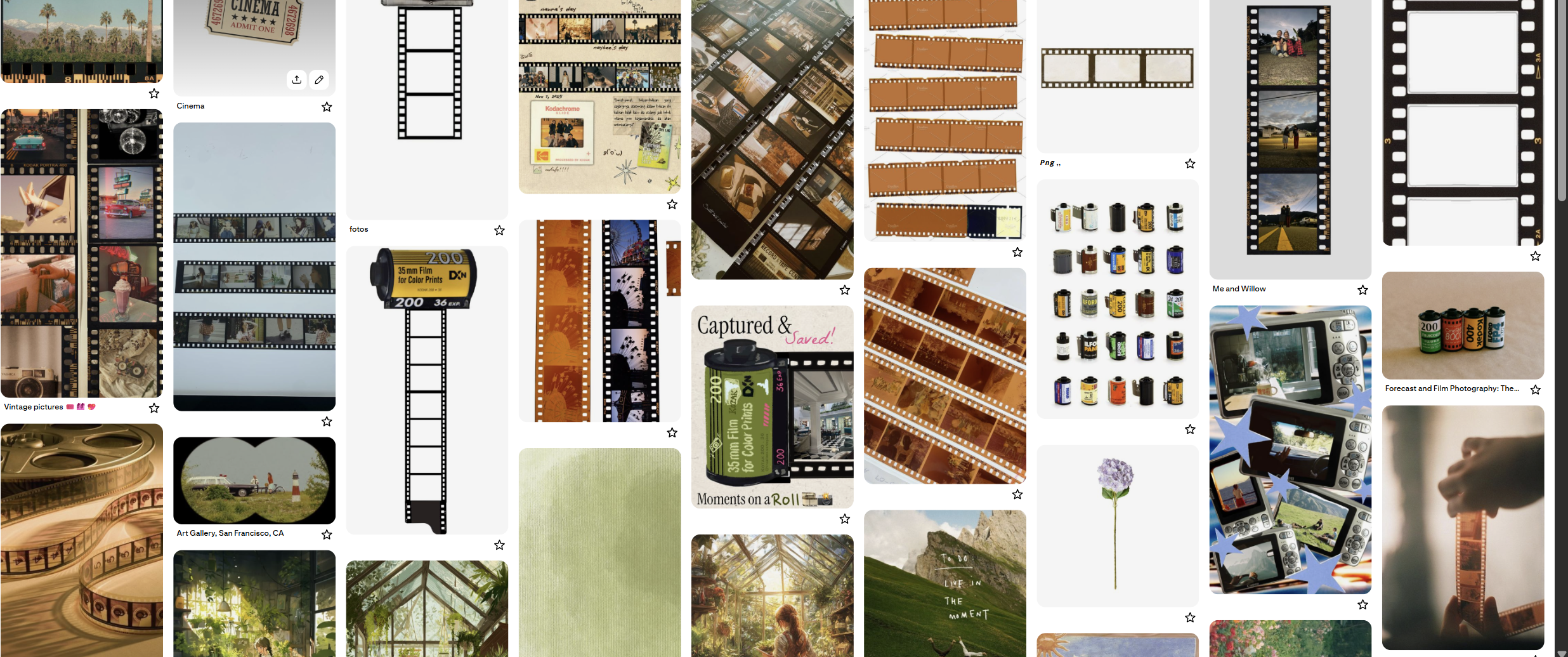
All of these places have different personal meanings and personal memories/stories behind it, so at first I wanted to layout the places as the title of my little stories. With the film camera esthetics.
2/2 As I was doing more research on my hometown, I found out a new interesting fact/history about my hometown.
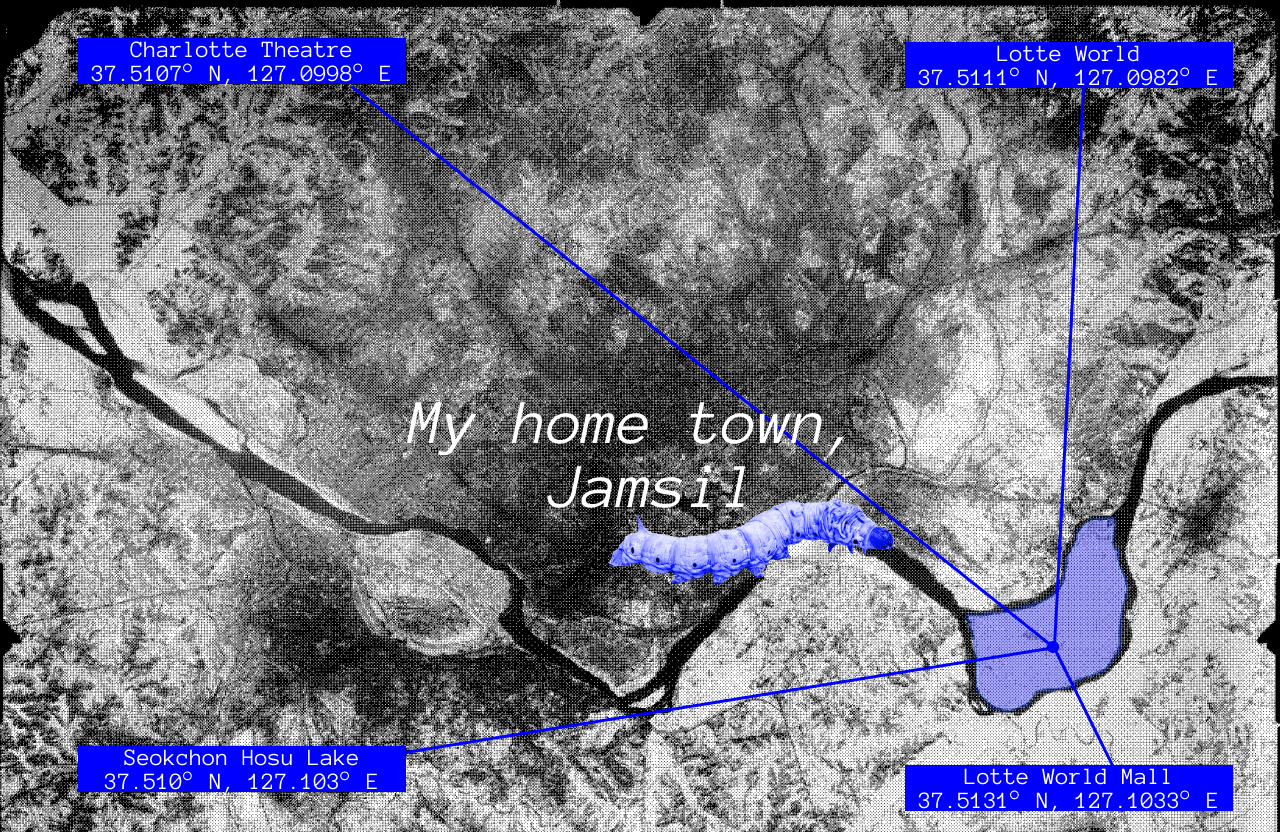
First, Jamsil(잠실/蠶室) is a place name derived from the word for a state-run silkworm farm that existed during the Joseon Dynasty.
Second, Jamsil has a unique history, that it was not originally part of the mainland as it is today. In the past, it was a large island located in the Han River. At that time, the Han River flowed in two branches around Jamsil Island. In the 1970s, a massive urban development project was launched to expand the city of Seoul. To create more land for housing, the southern branch was filled in through reclamation. This process essentially attached the island to the southern bank of the Han River, turning it into the mainland area we now know as part of the Gangnam region.
And I thought this would be more interesting to use as a theme for this project of making a poster about my hometown.
So I made a IA in Figma:
.png)
2/4
And also Visual Design :
this was my first design. i like the minimalist look of this design.
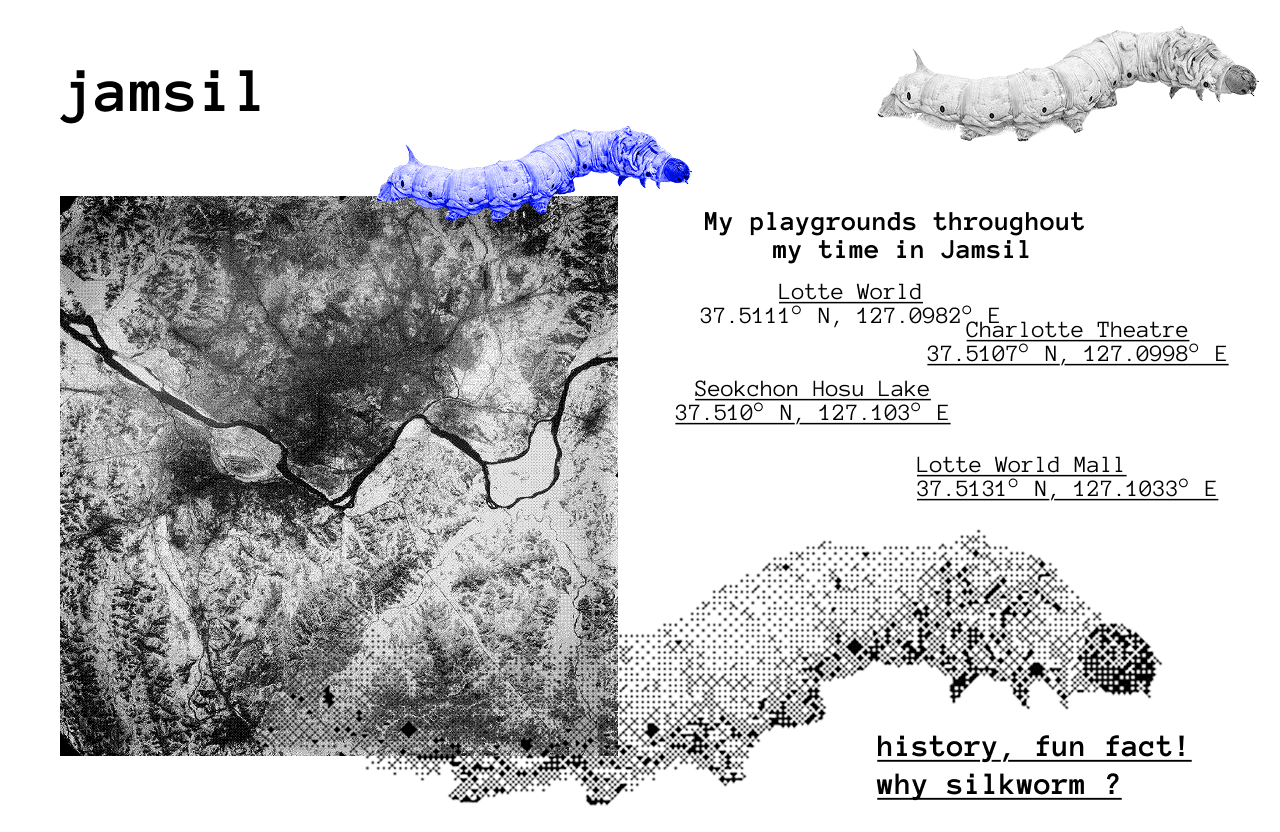
This is my second design that I decided to make.
2/5
I started laying out my html and css code by myself, and got to this far without getting any help from AI.
.png)
<html>

    <head>

        <title>my hometown, jamsil</title>

        <link rel="stylesheet" href="style.css" />

    </head>

    <body>

        <span class="title">

            My hometown,<br>

            Jamsil

        </span>


        <!-- 좌상단 -->

        <div class="info-box top-left">

            <div class="info-title">Charlotte Theatre</div>

            <div class="info-coord">37.5107° N, 127.0998° E</div>

        </div>

        <!-- 우상단 -->

        <div class="info-box top-right">

            <div class="info-title">Lotte World</div>

            <div class="info-coord">37.5111° N, 127.0982° E</div>

        </div>

        <!-- 좌하단 -->

        <div class="info-box bottom-left">

            <div class="info-title">Seokchon Hosu Lake</div>

            <div class="info-coord">37.5110° N, 127.1039° E</div>

        </div>

        <!-- 우하단 -->

        <div class="info-box bottom-right">

            <div class="info-title">Lotte World Mall</div>

            <div class="info-coord">37.5131° N, 127.1033° E</div>

        </div>

</html>
body {

    background-image: url("background-jamsil.png");

    background-size: cover;

    background-position: center;

    background-repeat: no-repeat;

    background-attachment: fixed;

    margin: 0;

    display: flex;

    justify-content: center;

    align-items: center;

    height: 100vh;

    position: relative;

}


.title {

    color: white;

    /* background-color: black; */

    text-align: center;

    font-style: italic;

    font-family: 'Courier New', Courier, monospace;

    font-size: 30px;

    margin-top: -30%;

}


.info-box {

    position: absolute;

    background-color: rgb(43, 24, 255);

    color: white;

    padding: 10px 15px;

    border-radius: 2px;

    font-family: 'Courier New', Courier, monospace;

    font-size: 14px;

    line-height: 1;

}


.info-title {

    font-weight: bold;

    font-size: 15px;

}

.info-coord {

    font-size: 12px;

}

.top-left {

    top: 20px;

    left: 20px;

}

.top-right {

    top: 20px;

    right: 20px;

}

.bottom-left {

    bottom: 20px;

    left: 20px;

}

.bottom-right {

    bottom: 20px;

    right: 20px;

}
But then since I alrdy designed in Figma more than I can make it happen, so I started prompting AI to make the design I was visioning.
So this is my final output. With the help of AI, I could get the interactive web page where the position of the dot is reactive to the screen, and 4 blue boxes of each location is draggable, and the floating silkworm.
https://hyejoonhwang.github.io/DynamicWebDev/project2/hometown-prj/